⭐ Feedback QR — review-routing control, consent checkboxes & editable feedback box
Three improvements to the Feedback QR type.
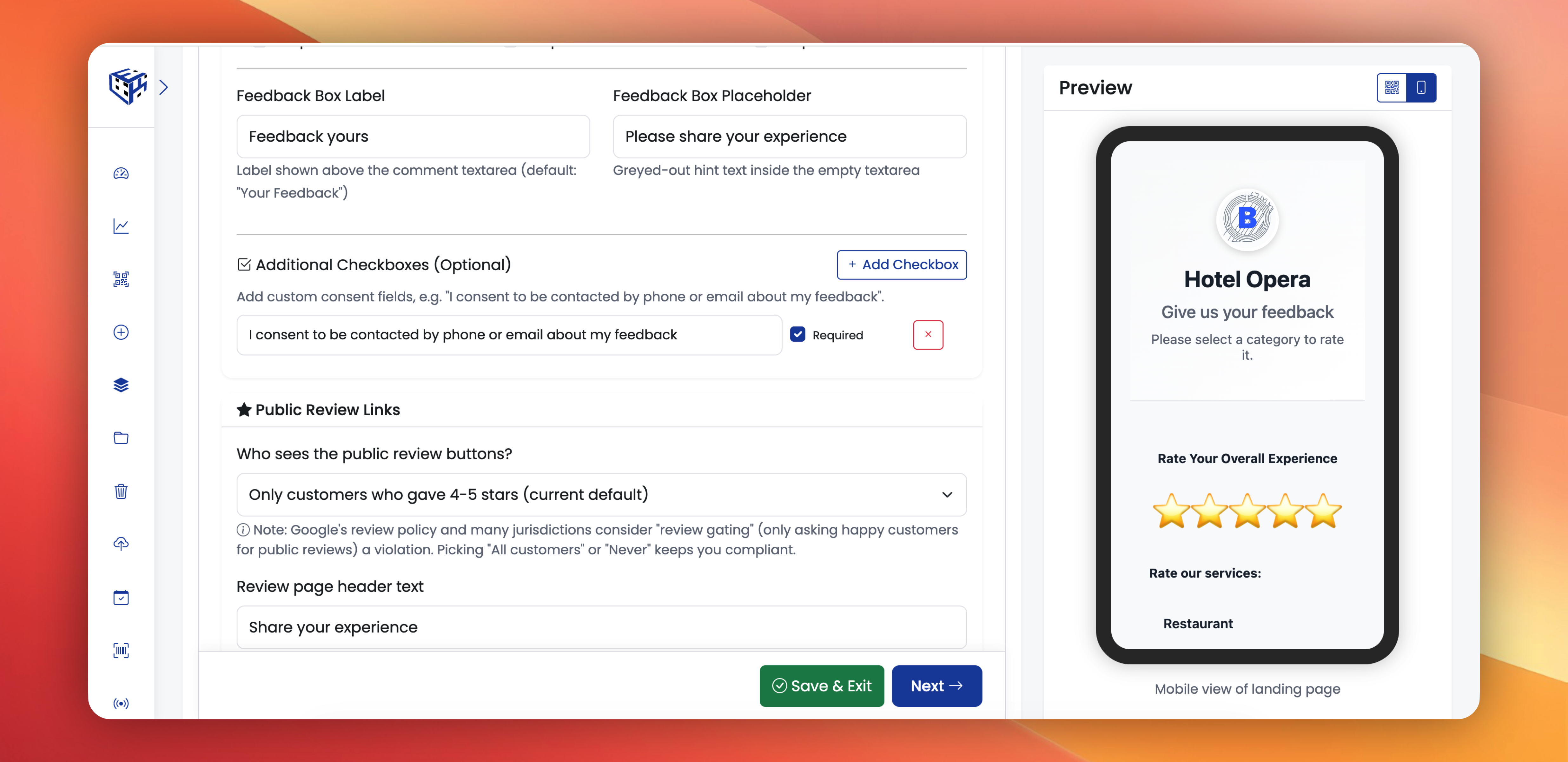
What's included:
✅ Review routing control — Choose who sees your public review buttons (Google, TripAdvisor, Yelp, Facebook, etc.) after a customer rates you. Three options: only 4-5 star ratings (legacy default), all customers regardless of rating, or never. The "only 4-5 stars" pattern is considered review-gating and violates Google's review policy in many jurisdictions — the other two options keep you compliant.
✅ Editable review-page header — The heading shown above the public review buttons is now editable per QR. Default is still "We're glad you had a great experience!", but you can change it to something neutral, like "Share your experience" when showing the buttons to all ratings.
✅ Additional consent checkboxes — Add any number of custom checkboxes to your feedback form. Each one has its own label and a "Required" toggle. Useful for things like "I consent to be contacted by phone or email about my feedback".
✅ Editable feedback box label and placeholder — The "Your Feedback" label above the comment box and its placeholder text are now editable per QR.
Existing Feedback QR codes are not affected — the new fields default sensibly, so nothing changes until you actively use them.
Try it: Create/Edit any Feedback QR → scroll to Customer Information Fields (for the label, placeholder, and checkboxes) and Public Review Links (for the routing and header text) → save.