🍴 Menu QR Cart — Tax & Service Fee
Restaurant owners can now add tax and service fees directly to the cart — auto-calculated and shown in a clear breakdown before customers send their order.
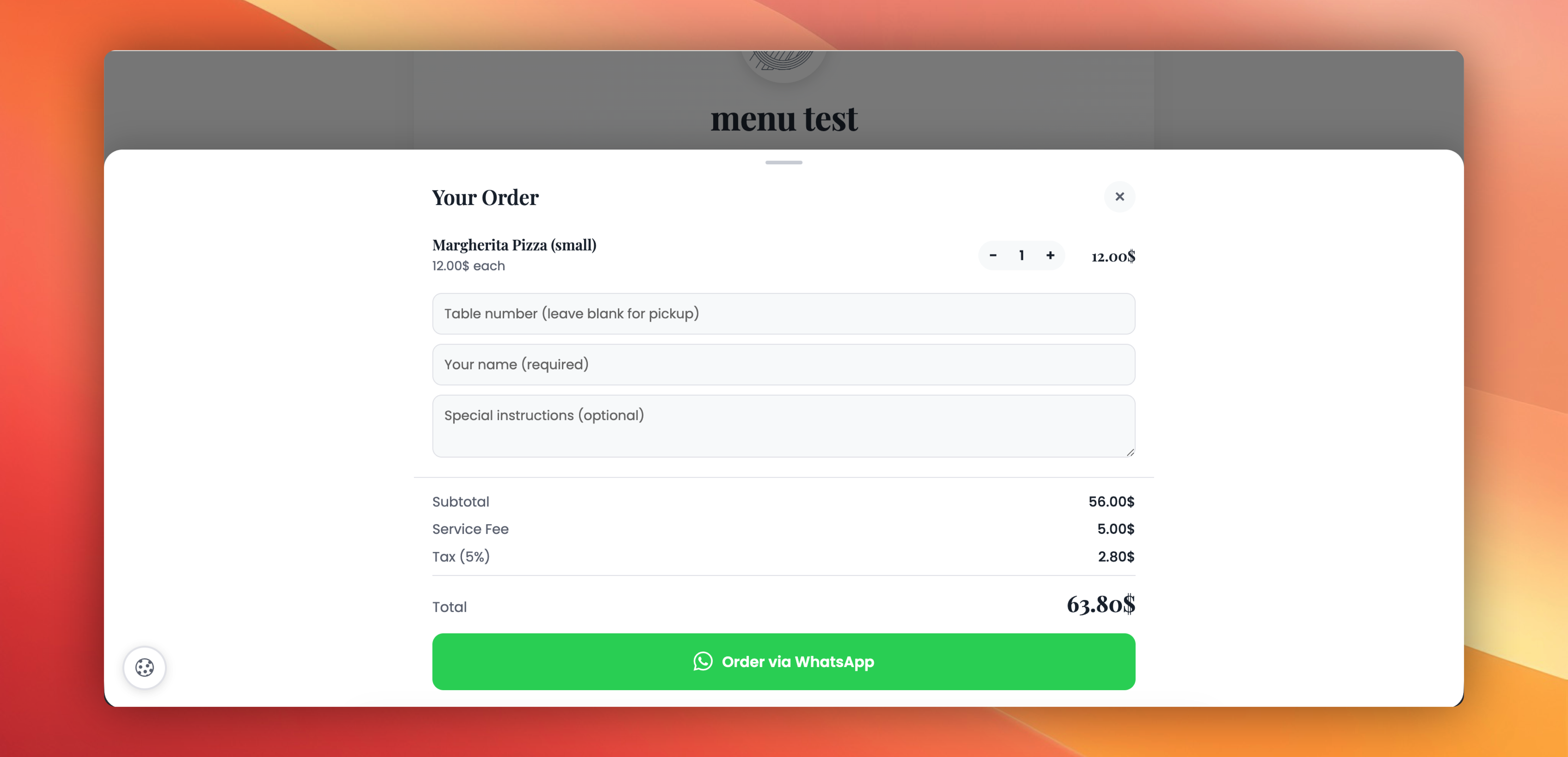
What's included:
✅ Tax — Toggle on, enter a percentage (e.g. 8%). Shown as a separate line in the cart and in the WhatsApp order.
✅ Service fee — Toggle on, choose Percent or Fixed amount. Great for banquet halls, event caterers, or premium dine-in service.
✅ Clean breakdown in the cart — Customers see Subtotal, Service Fee (X%), Tax (X%), and Total at a glance before paying. No surprises.
✅ Full breakdown in the WhatsApp message — The restaurant receives the order with all charges itemised, ready for receipt.
✅ Per-menu setting — Each Menu QR code can have its own tax and fee rules. Set once, applies everywhere that the menu is scanned.
Existing Menu QR codes are not affected — the breakdown only appears when tax or service fee is explicitly turned on.
Try it: Edit any Menu QR → Enable WhatsApp ordering → new 💸 Charges panel lets you configure tax and service fee.
 Powered by ProductLift