🛵 Menu QR — Home Delivery (Three-Mode Cart + Delivery Fee + Minimum Order)
Restaurants can now accept home delivery orders directly from their Menu QR — with the customer's address coming through to WhatsApp alongside the rest of the order.
What's included:
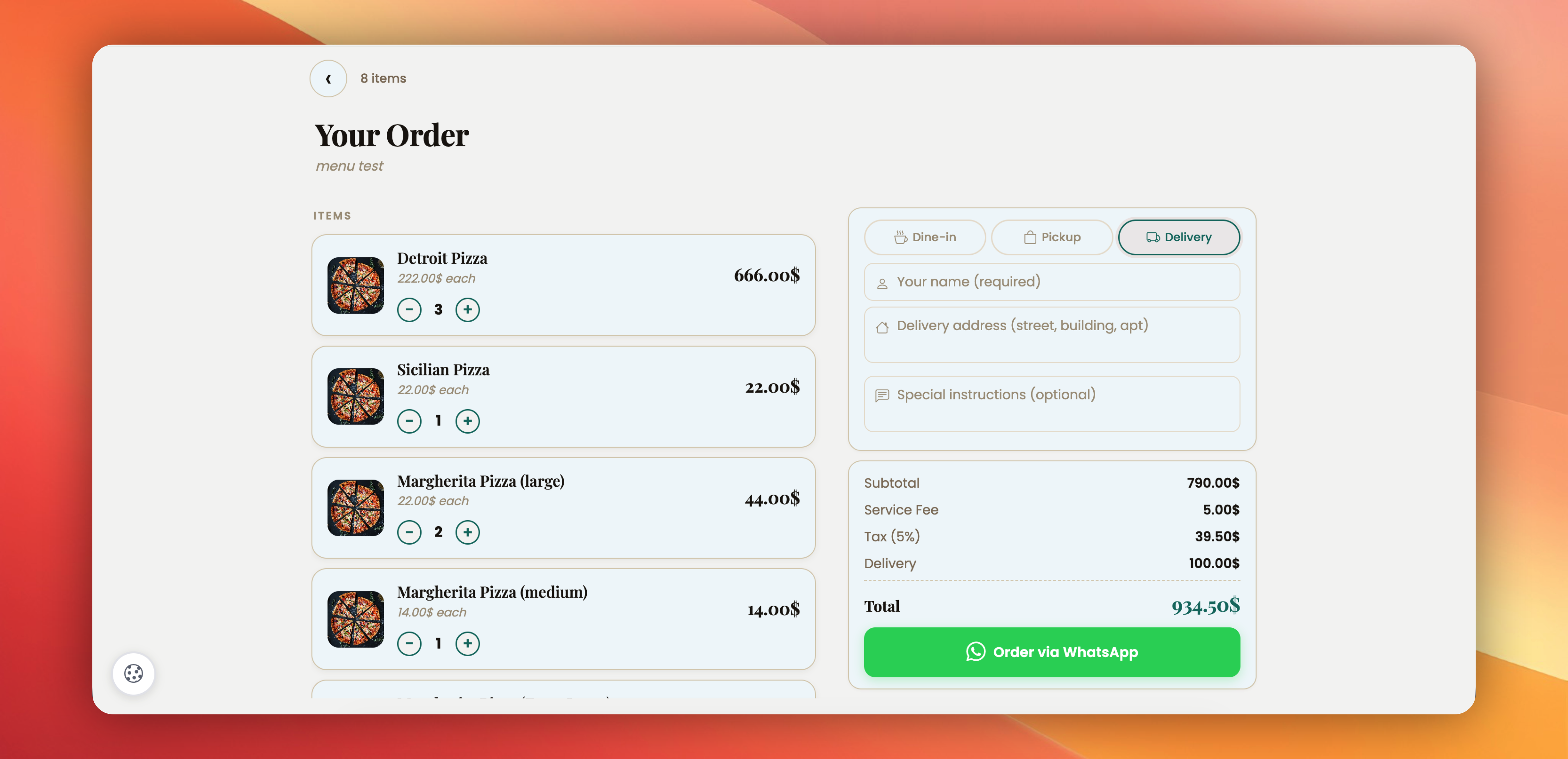
✅ Three-mode cart — Customers pick Dine-in / Pickup / Delivery right at the top of the cart drawer. Each mode shows only the fields that matter for that flow.
✅ Delivery address field — In Delivery mode, a clean address textarea appears in the cart. Customers type their street, building, and apartment once, and it lands directly in the WhatsApp message.
✅ Set your delivery fee — Flat amount added when the customer picks Delivery (e.g., $3). Shows as its own line in the cart summary, so the total is transparent — customers see exactly what they're paying for.
✅ Minimum order amount — Block tiny delivery orders (e.g., $20 minimum). Customers see a friendly warning, and the Order button locks until their cart hits the minimum.
✅ WhatsApp message includes everything — Mode label (📍 Delivery), delivery address, delivery fee, and the new total all land in the WhatsApp order — kitchen staff knows what to prep and where to send it.
✅ Mode is remembered — A regular customer who picked Delivery last time sees Delivery pre-selected on their next visit.
Existing Menu QR codes are not affected — Home Delivery is opt-in. Toggle it on whenever you're ready, and your existing Dine-in / Pickup flow stays exactly as before.
Try it: Create or edit any Menu QR → scroll to 🛵 Home Delivery (optional) → toggle on, set your fee + minimum order → save.
 Powered by ProductLift