🍴 Menu QR — restaurant-first redesign + brand colours
The whole Menu QR page has been rebuilt to look like a real restaurant menu, and you can now design it in your own brand colours and font.
What's included:
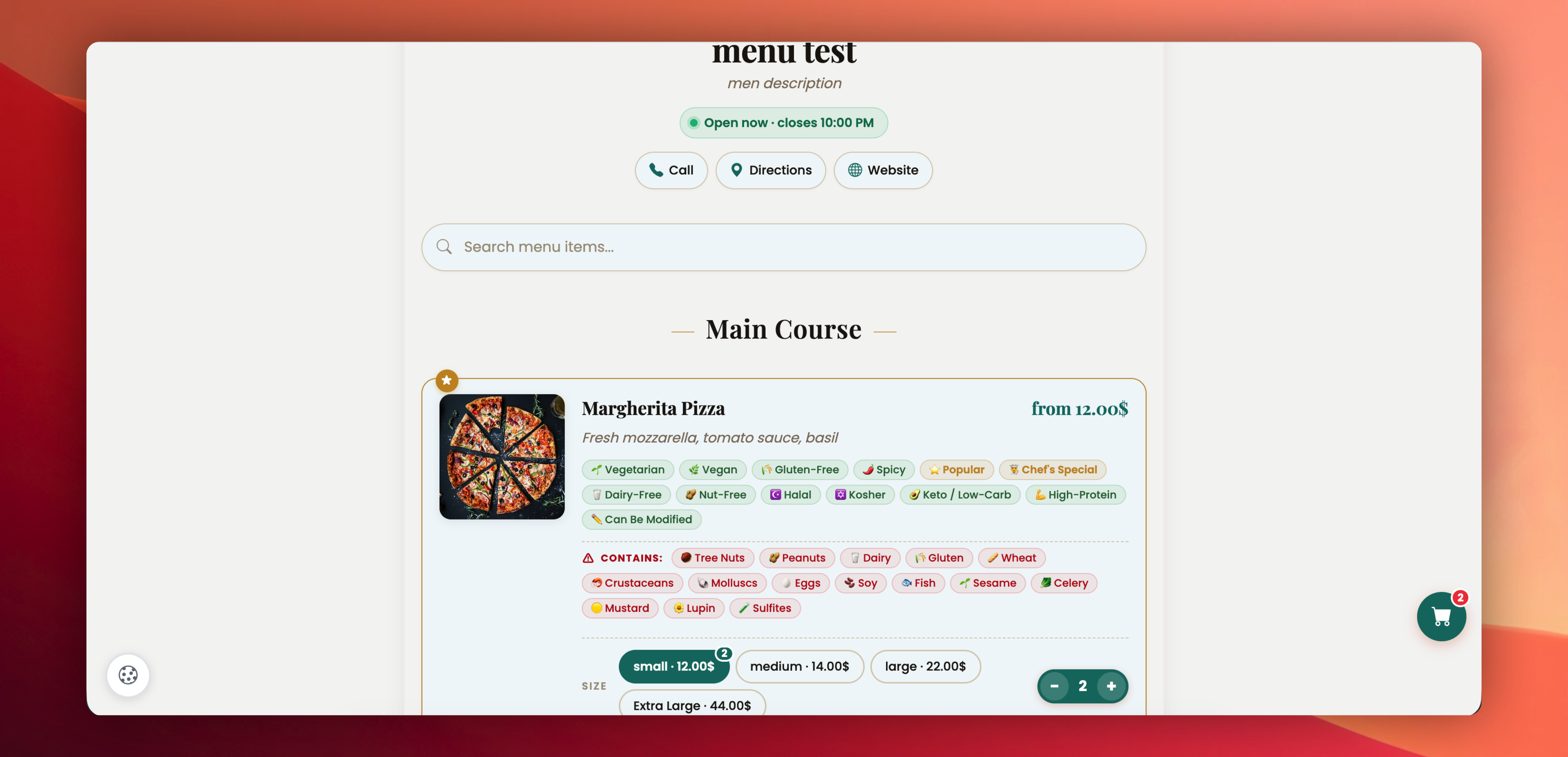
✅ Restaurant-first hero — logo half-overlapping the cover photo, cuisine caps, name, italic tagline, Open now / Closed status pill that auto-computes in the restaurant's timezone, and quick-action chips for Call, Directions, Website.
✅ Sticky search — the search bar stays pinned at the top and follows customers as they scroll through long menus.
✅ Cleaner item cards — rounded cards with photo thumbnails, 2-line description, and a floating + button. Items marked Popular or Chef's Special, get a subtle gold ★ corner badge and gold border.
✅ Visually separated tags — Dietary info now shows as soft green pills (Vegetarian, Vegan, Halal, Keto, etc.), while Allergens show as red ⚠ CONTAINS pills so diners can't miss them.
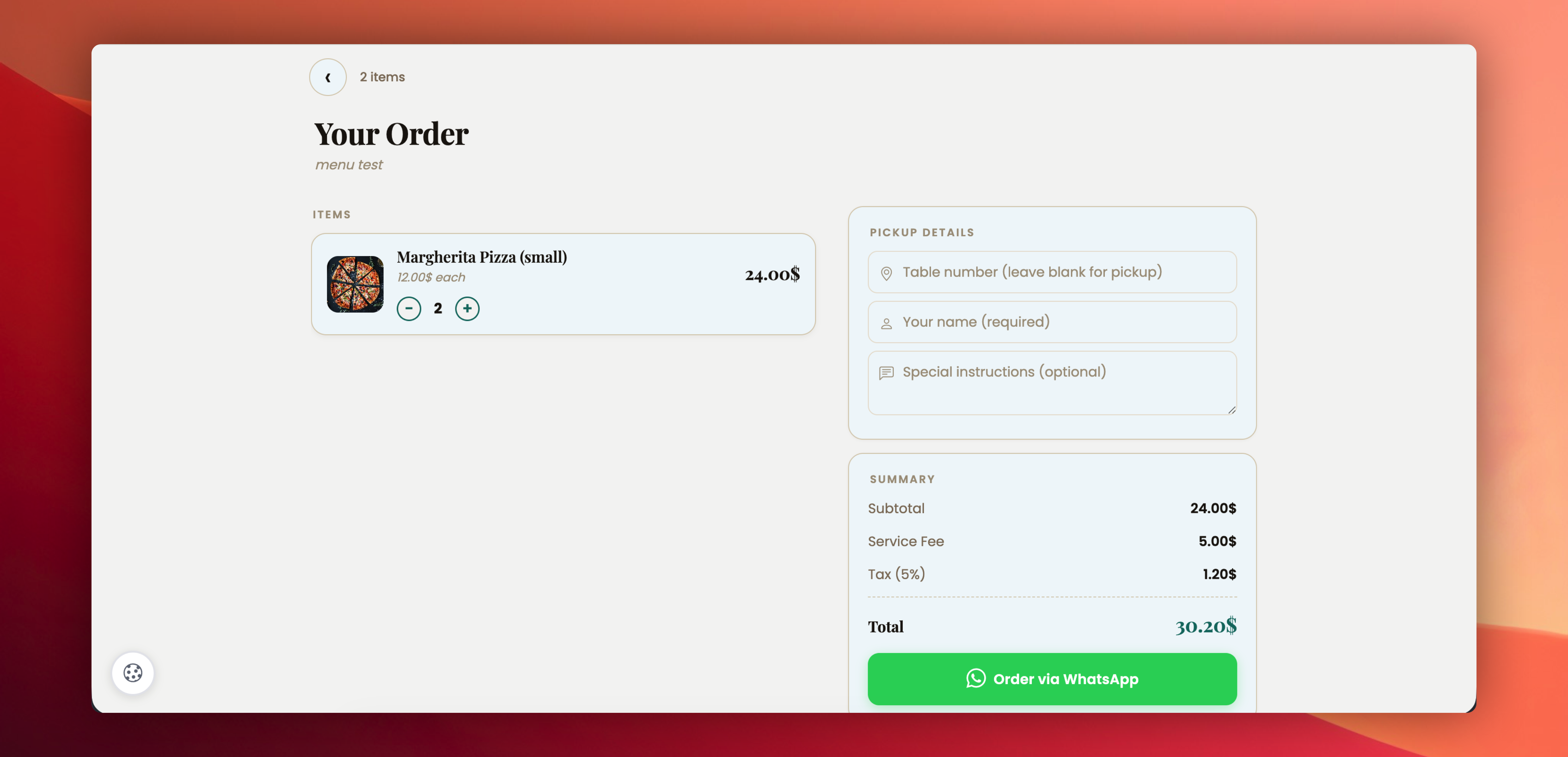
✅ Shopify-style cart — two-column layout on desktop (items on the left, Pickup Details + Summary + Order via WhatsApp on the right), clean single-column on mobile. Each cart line has a proper photo thumbnail, and the total sits inside the summary card.
✅ Page Customization — new section in the editor lets you pick an Accent Color (prices, buttons, the Open-now dot), a Background Color, and a Card Color. Ten restaurant-themed presets (Terracotta, Mediterranean Teal, Forest Green, Steakhouse Red, Midnight, Sunset Orange, Coastal Blue, Olive, Burgundy, Espresso) plus a custom hex picker.
✅ Gradient background — toggle it on, pick a second colour and a direction, and the whole page gets a soft, branded gradient.
✅ 12 Google Fonts — Poppins, Inter, Playfair Display, Montserrat, DM Sans, Raleway, Nunito, and more, so the menu reads like your brand instead of a template.
✅ Smart contrast — pick a dark background (Espresso, Midnight) and the text automatically switches to cream so everything stays legible — no manual tweaking needed.
Existing Menu QR codes are not affected — the default palette is the new warm editorial look. Open any menu to tweak the colours and font whenever you're ready.
Try it: Edit any Menu QR → scroll to PAGE CUSTOMIZATION at the bottom.