📶 WiFi QR — Lead Capture, Brand Colours & CRM Webhook
WiFi QR just got a major upgrade. Turn every guest WiFi connection into a lead, style the landing page in your brand colours, and pipe each new lead into your CRM.
What's included:
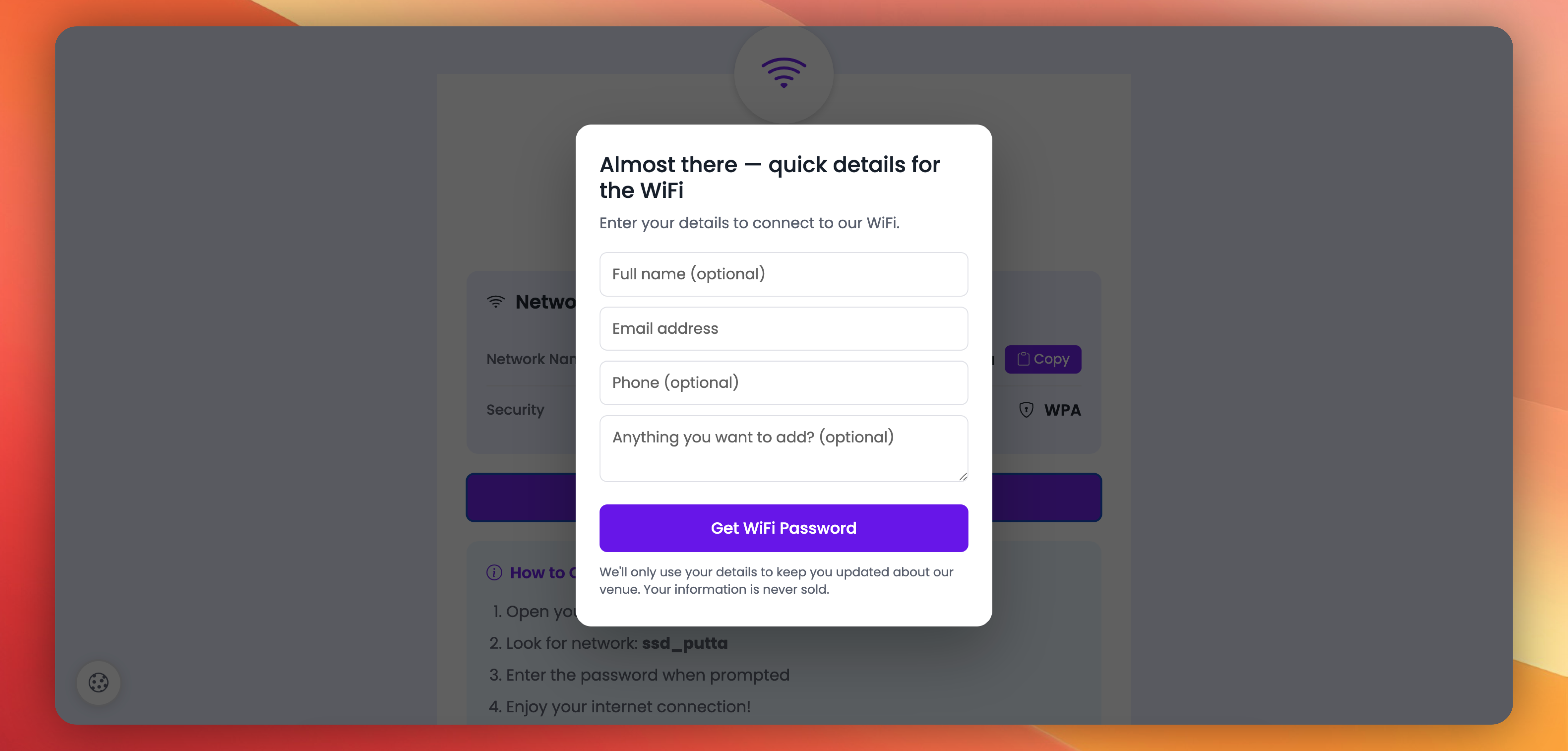
✅ Lead capture before password reveal — Visitor taps "Get WiFi Password" → a modal form opens (Name + Email required; Phone and Message optional and toggleable per QR) → on submit, the password reveals, the lead lands in your dashboard, and a notification email fires the same second.
✅ Fully customisable form — Edit the title, description, submit button text, and privacy text on the form. Show or hide the phone field and message field per QR. Set a per-QR notification email so each venue's leads go to the right inbox.
✅ Leads dashboard — Every captured lead lands in a new Leads section under your WiFi QR analytics — Total / Unread / This Week stats, filter by status, paginated table, CSV export, mark read/unread, per-row delete.
✅ Send leads to your CRM — Flow every new WiFi lead to your CRM, Zapier, Make, HubSpot, or any tool that accepts a webhook. Set one URL for the whole workspace, or a different URL per WiFi QR. JSON payload with optional secret and custom headers.
✅ Workspace-level WiFi Lead Captured event — A new event in your workspace webhook settings, so leads from all WiFi QRs in the workspace also flow to your central CRM.
✅ Brand colours — Pick an accent colour (buttons, copy button, share button) and a background colour for the landing page. Ten preset chips plus a custom hex picker for both.
✅ 12 Google Fonts — Poppins, Inter, Playfair Display, Montserrat, Roboto, Lato, Open Sans, Raleway, Nunito, DM Sans, Source Sans Pro, Merriweather. Match the vibe of your venue.
Existing WiFi QR codes are not affected — these features only kick in when you enable them.
Try it: Create/Edit any WiFi QR → scroll past Contact Information to the new Password Gate and Page Customization cards → tick the options that fit your venue → save.
 Powered by ProductLift